Every tool, one scan away.
Tag each asset once: rigid RFID tags on the machines, on-metal NFC labels on the small tools, barcodes where nothing else fits. From then on, a scan opens that tool's identity, history and paperwork on the phone in your operator's pocket.
From tag to record
How it works
Tracking that starts at the tool.
Spreadsheets describe a fleet from a desk. Toolminder's records are created at the machine, by the person holding it, against a tag that can't be mistaken for another tool's.
Tag every asset once
Rigid RFID tags suit mowers, breakers and larger machines: moulded TPU, laser-marked to order in Earlsmere's UK production facility, and colour-coded so a vibration band is visible at a glance. 22mm on-metal NFC labels cover drills, grinders and small tools. A printed barcode covers anything a tag can't.
Scan with the phone they already carry
Both tag types work at 13.56 MHz and are read natively by the Toolminder app on iOS and Android; barcodes are read with the camera. There are no handheld readers, base stations or scanners to buy, issue, charge or lose.
The tool answers for itself
A scan opens that specific asset: its details, documents, vibration magnitude, current status and full history. A mismatched scan is refused, and a tool with a failed check stays refused until a new check passes.
Everything lands on the record
Pre-use checks, usage sessions, exposure points, defects, service jobs and end-use checks all save to the same asset history: timestamped, named, and visible to supervisors immediately.
In the operator's hand
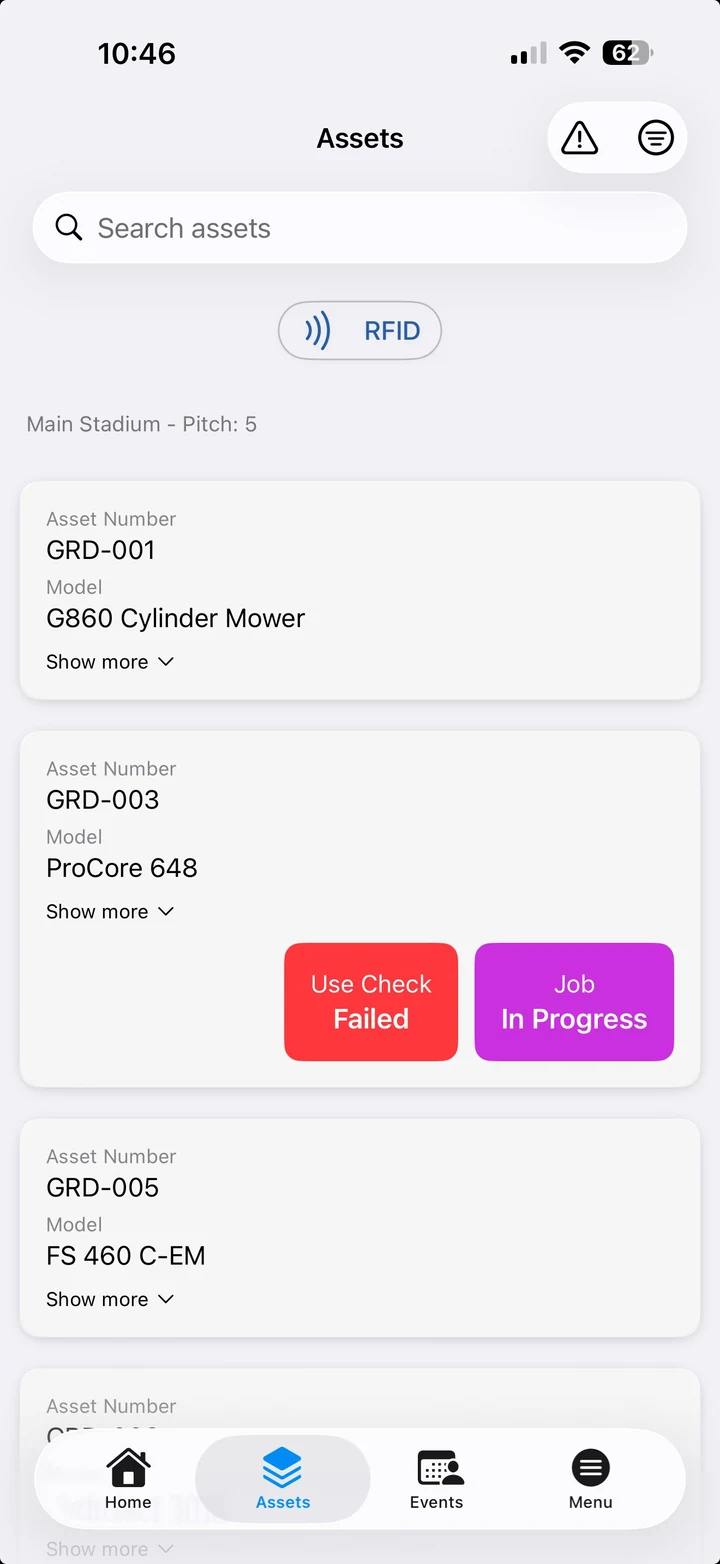
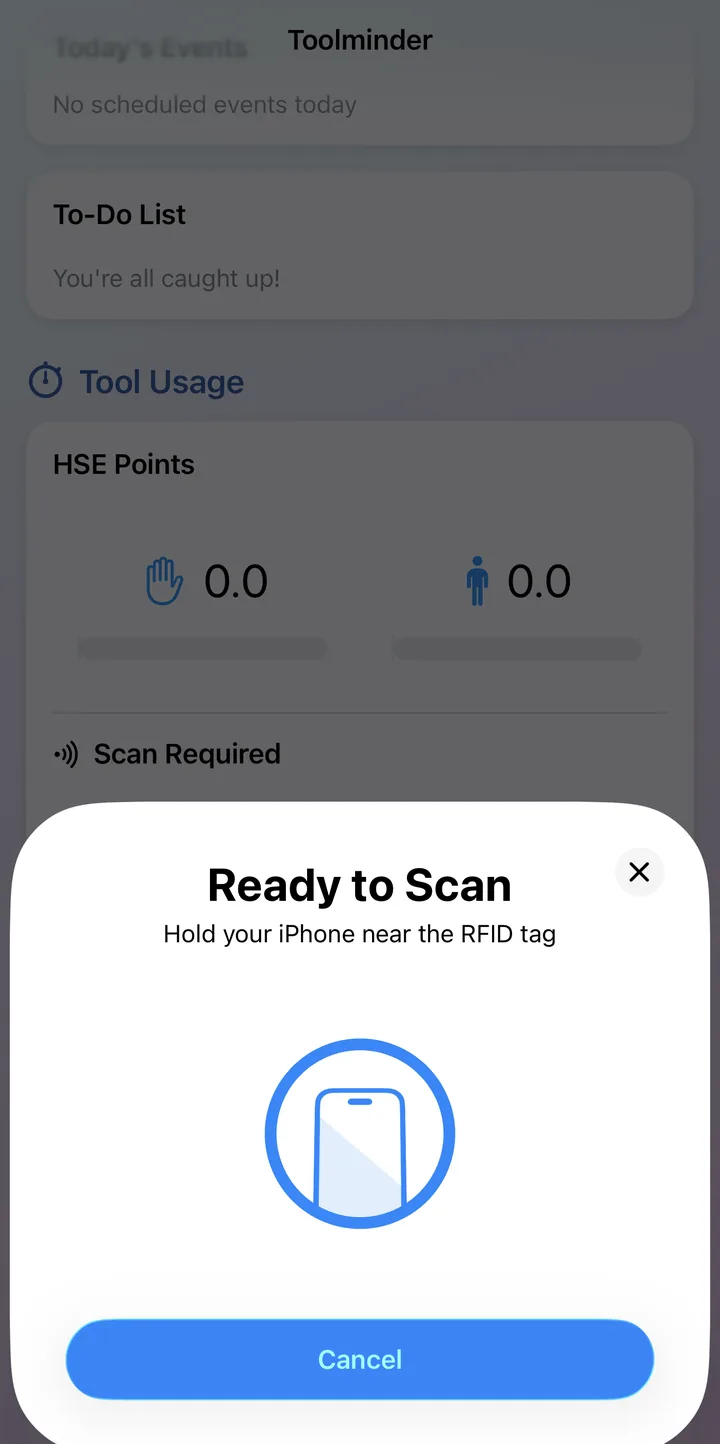
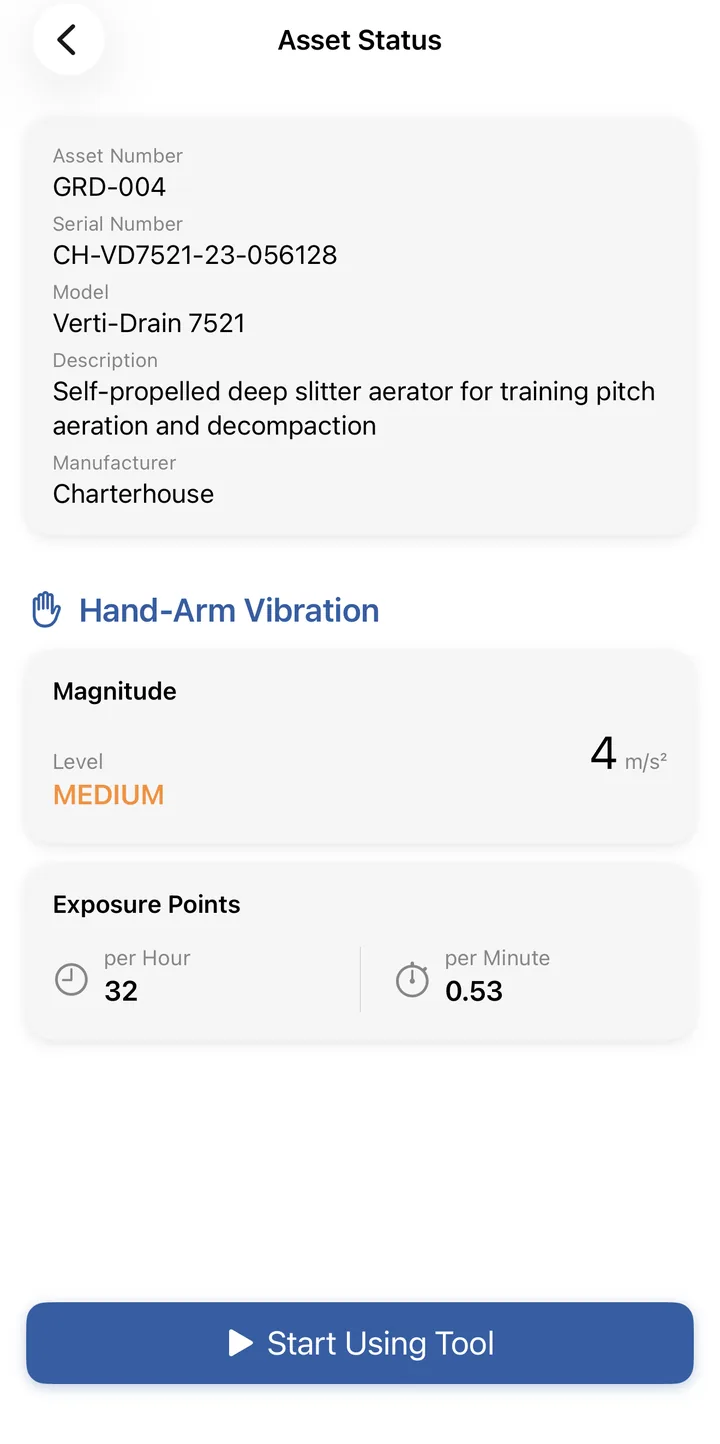
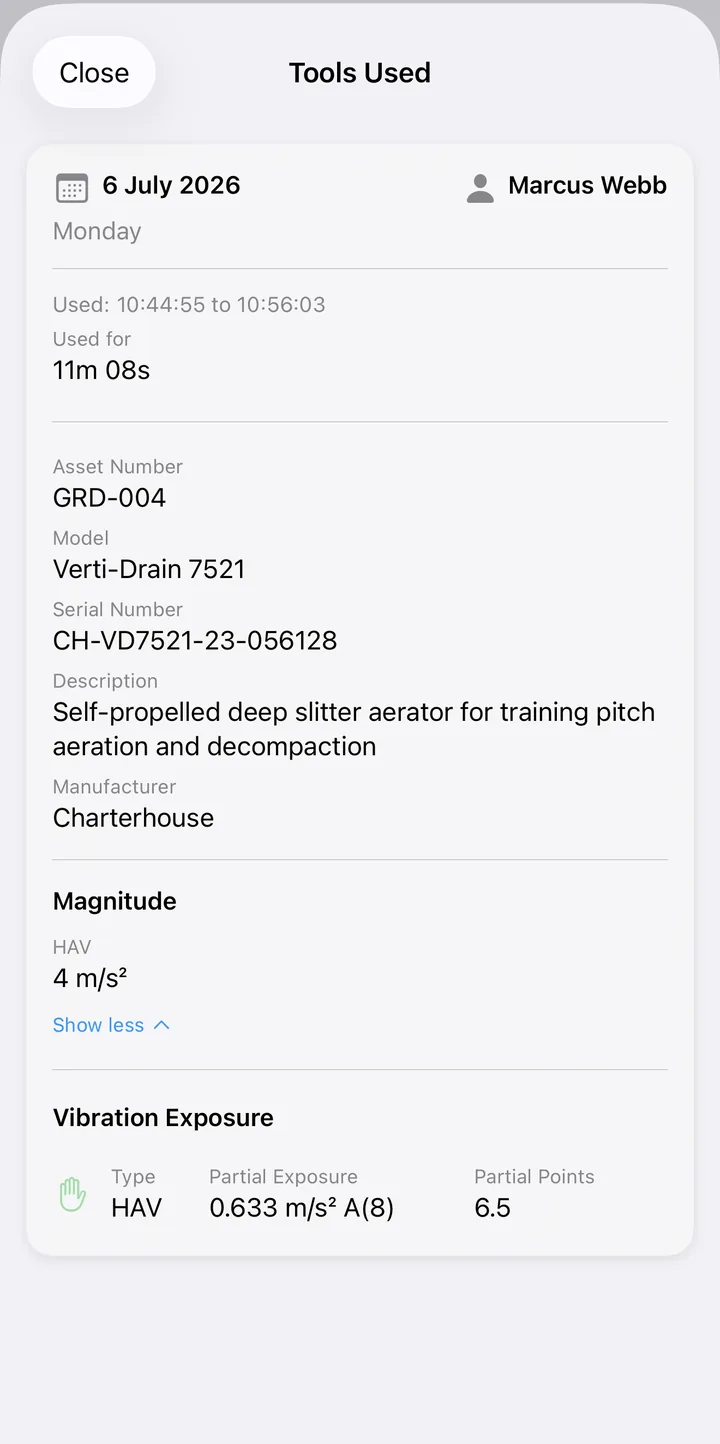
A tag is an identity, not a sticker.
Toolminder's tracking isn't a dot on a map. It's accountability: which machine, which person, which check, which minutes of use, all proven by presence rather than typed up afterwards.
Proof, not paperwork
Because the tag identity and the asset record are one and the same, a scan proves the person recording a check or starting a timer was physically standing with that machine. Nothing gets ticked from the van.
Nothing new to buy, wear or charge
Tracking runs on the phones operators already carry and the tags already on the tools. Rolling it out is tagging the fleet and installing an app, not procuring hardware.
Colour that carries meaning
Rigid tags come in orange, yellow, red and green to denote hand-arm and whole-body vibration bands, so an operator can see which band a machine sits in before picking it up.
No anonymous assets
Every check, defect and exposure record belongs unambiguously to one machine. A damaged or missing tag is reported like any other defect, so no tool slips back into anonymity.
What a scan powers
Identification is the front door.
Asset management
One live record per asset: details, documents, service history and status, kept true by the scans your team already does.
See the registerPre-use checks
The scan proves the operator is with the right machine before a check can begin: your checklist, photo evidence and sign-off.
See how checks workHAV monitoring
The same scan starts the usage timer, converting real trigger time into HSE exposure points against that tool's vibration data.
See HAV monitoringFAQ
Tool tracking, asked and answered.
Do we need extra hardware to track tools?
No. Tools carry an RFID or NFC tag (or a printed barcode), and the Toolminder app on iOS and Android reads them directly: tags via the phone's built-in NFC reader, barcodes via the camera. The tags are supplied by Earlsmere and laser-marked to order in their UK production facility.
How RFID & NFC tagging worksShould we use RFID tags, NFC labels or barcodes?
As a rule of thumb: if the machine is large, lives outdoors or benefits from at-a-glance colour coding, fit the rigid RFID tag. If the tool is small or mostly metal, use the 22mm on-metal NFC label. Barcodes cover anything else. Many organisations use all three across a fleet, and the app treats them identically: a scan is a scan.
Choosing tags for asset trackingWhat happens when a tool fails a check?
A failed task asks for a clear reason and photos, then offers to raise a service job on the spot, assigned to a person with a priority. The tool is refused at the next scan until a new check passes, so a known-bad machine can't quietly go back to work.
How pre-use checks workDoes it work on remote sites without signal?
Yes. Checks work fully offline and sync the moment the phone reconnects, so a depot yard, a basement plant room or a fairway at the far end of the course all behave the same.
Who uses Toolminder?
Teams that put serious tools in people's hands: construction and civils teams, engineering workshops, grounds maintenance and landscaping, facilities management, sports grounds and local authorities across the UK.
Ready to see it in action?
Book a walkthrough with the team, or download the app and take a look around.